July 26, 2024
Framer vs WordPress in 2026: Which Is Actually Better for Your Site?
Web design is rapidly changing and certain platforms (ahem... Wordpress) are somewhat stuck in the past. Widely supported but in a lot of ways, bloated like the US Government...
Updated: April 17, 2026
Web design has changed a lot over the years, and honestly, a lot of platforms are still stuck in the past. This article isn't here to tell you that Framer is superior or that WordPress is the best. It depends on what you're building, your experience, and how your mind works. Picking a web design tool is a bit like an artist choosing between oil paints, pastels, or colored pencils. The right answer is the one you'll actually use.
This is written from my angle as an SEO who has worked on and built sites with Wix, WordPress, HTML, Dreamweaver, Drupal, DivHunt, Framer, Webwave, Groove, Kajabi, Kartra, Squarespace, Heights, Showit, Astro, Pixieset, and on and on. I've worked with more platforms than I really want to think about. So many hours figuring out the strange little details in each one that are so easy in one, and so difficult in another.
Quick note before we start
I originally swapped this site from WordPress to Framer in 2024. In March of 2026, I moved it again to Astro with Sanity as the CMS. Framer was great, and I'd still recommend it for most people. But I wanted more control over content structure, build performance, and how I handle things like programmatic SEO pages. I’m very tech-driven and tend to experiment with a lot of platforms. My situation is very specific, and it doesn't change what I say about Framer below. If anything, building on all three platforms makes the comparison stronger.
All that said, let's get into it.
The short answer:
Choose Framer if you want a modern, fast, design-led site without managing plugins or hosting. It's my top pick for photographers, service businesses, and portfolio sites.
Choose WordPress if you need heavy blogging, e-commerce, or deep customization through plugins. It's still the right call for content-heavy sites and anyone who wants full control over hosting.
If you have very little technical skill, skip both and look at Showit, Squarespace, or Wix instead.
Framer vs WordPress at a glance
If you're skimming, here's the short version:
| Framer | Wordpress | |
|---|---|---|
| Best for | Portfolio and service sites where design and speed matter + blogging capabilities | Blogs, e-commerce, large sites with lots of content types + needing maximum control |
| Learning curve | Moderate, familiar if you know Figma, excellent tutorials | Moderate to steep. Depends on theme and plugins. |
| Speed out of the box | Excellent. Fast without any setup. | Depends on hosting, plugins, and theme. Easy to mess up |
| SEO | Strong defaults. Plenty of control for most. | Deep control if you want it. More ways to mess it up. |
| Design flexibility | High. Full control over layout and animation. Visual. | Depends heavily on theme and page builder. Can be very slow. |
| Blogging | Simple. Less styling control per post. | Flexible. Best-in-class for heavy blogging. |
| E-commerce | Not really built for it. | Yes, with WooCommerce + Many other options |
| Hosting | Included. Can't host elsewhere. Simple to Manage | Your choice. Thousands of hosts available. |
| Monthly Cost | $10 to $100+ for everything ($30 plan is great for almost all cases) | $5-$100+ depending on plugins, page builders, themes |
| Maintenance/Security | Nothing required, excellent security. | Constant updates for both wordpress, theme, plugins. Vulnerabilities with every update. |
| My Verdict | Best for most photographers and service businesses. Go this route for no maintenance. | Best if you like to micromanage and need ultimate customizability, deep blogging, or e-commerce. Significant maintenance. |
Framer: the new kid that's actually good
Framer started as a prototyping tool and pivoted into web design. If you've used Figma, it'll feel familiar. There are meaningful updates almost every week, and the team clearly has ambitions to take over a big chunk of the web design world. Because of its prototyping roots, Framer is also a genuinely good wireframing tool. You can sketch a layout, turn it into an interactive prototype, and publish it as a live site without changing tools. WordPress can't really do this at all. If wireframing is part of your workflow, Framer wins on that alone.
The first thing you'll notice on any Framer-built site is how fast it loads. Page transitions feel instant. That's because Framer runs on React, which used to be a problem for SEO. With server-side rendering (you don't need to know what this is, just that it works), it now delivers excellent SEO performance out of the box. I know a lot of SEOs will push back here because React was a no-no for so long. To those SEOs, go look at what Google is doing with JavaScript and React now. Times have changed.
Add in the fact that building smooth animations is genuinely simple and doesn't slow the site down, and you have a pretty complete package.
Platform experience
The first time I logged into Framer to build a free test site, I was blown away. Everything was thoughtful and quick. Changes applied to the live site in seconds.
When I use software, I want it to just work. Framer does. Nothing felt like hacking, and I never had to write code.
You'll still need some web design basics, but even if you're starting at zero, the Framer Academy covers almost anything you'll run into. If you're on a Mac, the desktop app loads fast and lets you make edits without messing with a backend or confusing menus.
This isn't pure drag-and-drop though. You'll need to learn how Framer handles layout and responsiveness. If you truly want drag-and-drop with no thinking, skip both Framer and WordPress. Look at Squarespace, Wix, or Showit instead.
One Framer tool worth calling out: HTML to Framer. You can click any section on any site, copy the code, and drop it into your Framer project. It doesn't translate perfectly every time, but it usually looks close right away. It's a great starting point for building out a design.
Speed
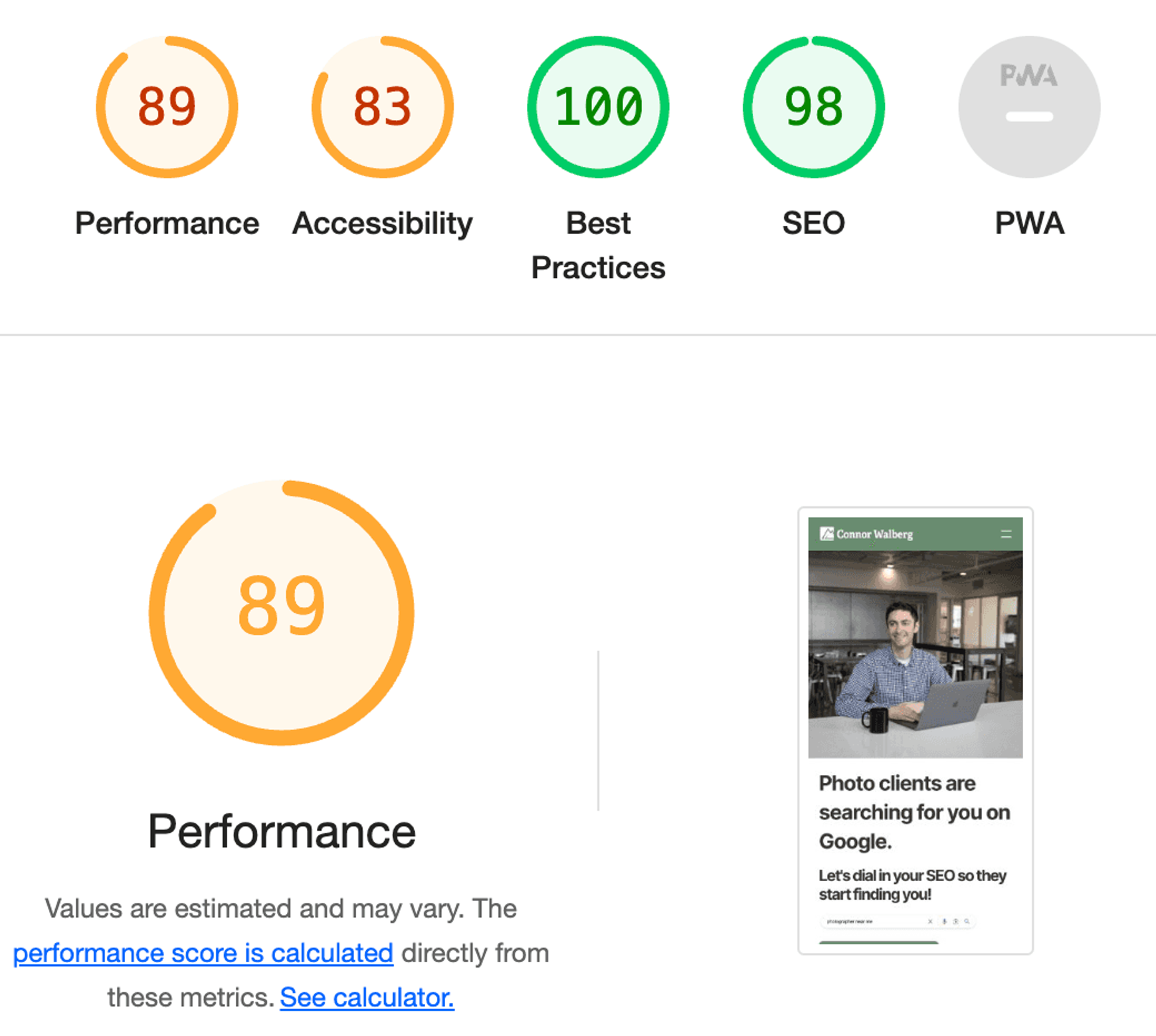
This is where Framer shines. The backend and frontend both load instantly. When you run Google PageSpeed tests on pages with animations, you get very strong results. You probably won't hit a perfect 100 without stripping out content, but you can get very close. From a visitor's view, you'll have one of the fastest sites they've ever used. What users experience can be different than what Google scores, and I'd argue the user experience matters more.
Options and customization
This is the biggest difference from WordPress. In Framer, you can build almost anything you want, but some things simply don't exist. If you don't like how galleries or lightboxes work, you'll need to modify them yourself or live with them. WordPress has a plugin for everything. The trade-off is that plugins can make a WordPress site slower and bloated, so you have to be careful.
For most use cases, you'll be able to do what you want in Framer. More plugins are being released regularly. Personally, I'd rather not install plugins unless I absolutely need to.
One big thing I appreciate: I could fully edit how menus look and work in Framer. That was never really possible for me in WordPress without a developer or a theme change.
User friendliness
It's not really a beginner platform. Some of the marketing makes it look easier than it is. If you've used WordPress, Webflow, or Wix, you'll pick it up quickly.
The trickiest part is responsive layout. Spend some time with the layout settings and the Academy videos, and you'll be fine. A quick Google search will solve most issues.
The big plus: you can build your entire site for free before publishing. That means you can figure out if it's a fit before committing. The best tool is the one you'll actually use.
And if you get stuck, ChatGPT is genuinely helpful for Framer-specific questions. I've found it faster than traditional searches for edge cases.
Design
The interface looks and feels excellent. Sites built with Framer can hold their own against the best on the internet once you know what you're doing. Learning the basics of animation is worth the hour or two. It'll make your site stand out without feeling gimmicky.
For interactive design specifically, Framer is the better tool between the two. Scroll-triggered animations, hover states, and page transitions are built-in features, not plugins. On WordPress, the same things usually mean custom JavaScript or a third-party library. If interactive design is central to your site, don't pick WordPress.
Hosting
Framer has built-in hosting with strong uptime. Not much more to say. The one drawback is that you can't host your own site elsewhere. If that matters to you, Framer isn't the right fit. If it doesn't, you get solid hosting at a reasonable monthly fee.
Blogging with Framer
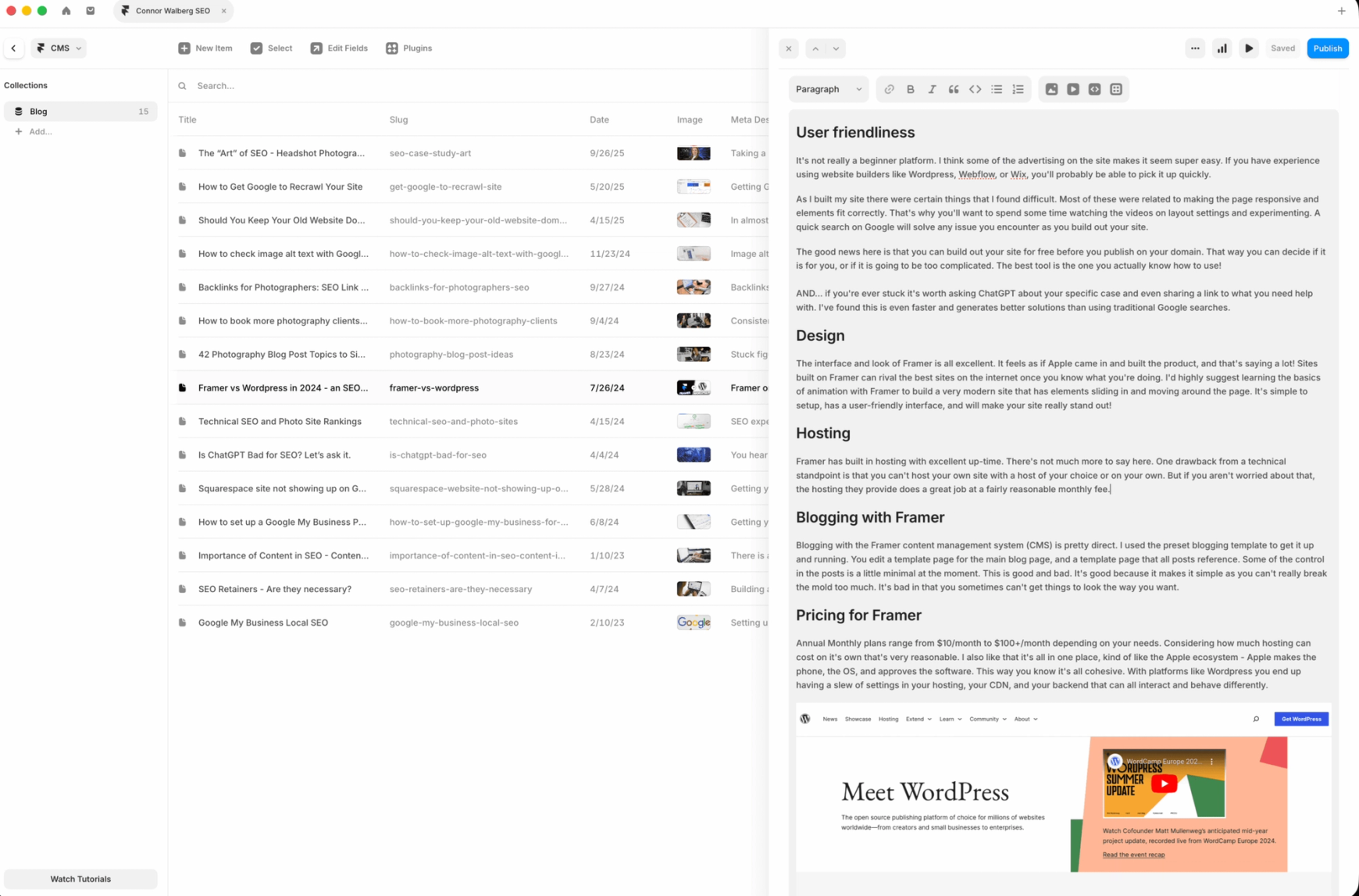
Blogging with Framer's CMS is pretty direct. You set up a template for the main blog page and a template for individual posts. Styling control per post is limited, which is both good and bad. Good because you can't break the mold. Bad because you sometimes can't get posts to look exactly how you want.
If you blog a lot and want deep control over every post, WordPress is still better. If you're mostly posting for SEO and want a clean, consistent look, Framer is fine.
Pricing for Framer
Annual monthly plans range from $10 to $100+ depending on what you need with the middle $30/month plan being a perfect option in almost all cases. Given how much hosting alone can cost elsewhere, that's reasonable. It's also all in one place, kind of like the Apple ecosystem. With WordPress, you end up managing settings across your host, CDN, and backend that can all interact in weird ways.
WordPress: still the de facto standard
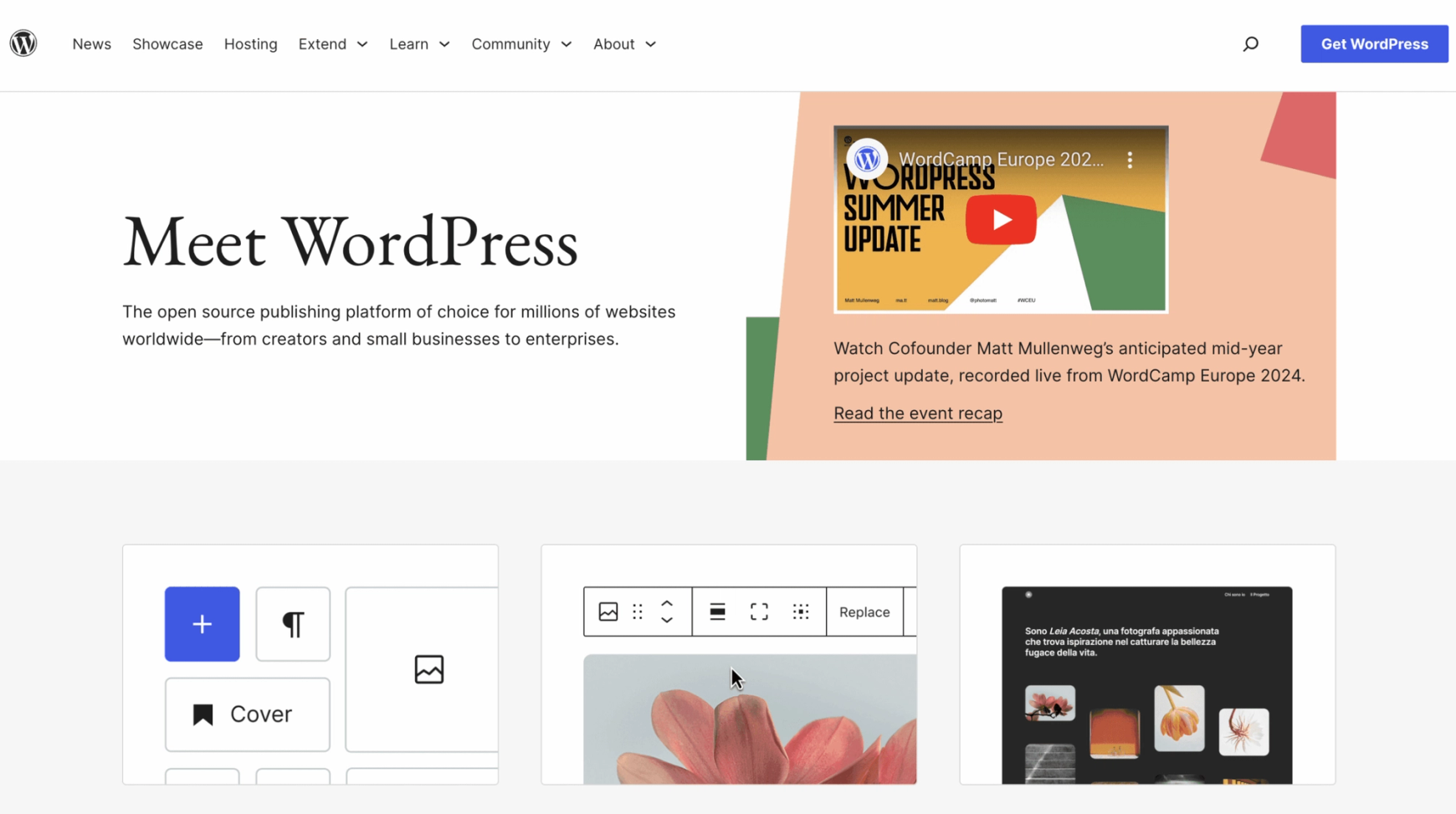
WordPress is the default for most sites online. It's the most customizable platform out there. Everything you can imagine can be built through themes and plugins. It's the Swiss Army knife of web design.
In a lot of ways, it's the PC of web design. Unlike Framer, which is one unified system, WordPress sites are built from many different pieces. You use a page builder plugin (similar to an app) to design your pages. There are plenty of options. I personally used GeneratePress for years because of its speed and simplicity. I wouldn't recommend it to anyone without a solid web design background.
WordPress experience
Because of the patchwork nature, things can get messy. I had my site on FlyWheel for hosting, Cloudflare for CDN, and WP Rocket for speed. Any change I made required logging into three platforms to flush caches. Sometimes the changes still didn't show up for a day or two.
That patchwork also leads to plugin incompatibility and update headaches that can derail an entire afternoon. I've definitely had updates silently break my site.
With that said, WordPress isn't a bad experience overall. You can build literally anything you want. It's open source, free, incredibly well supported, and updated constantly. That's a huge selling point.
WordPress site speed
Every SEO will tell you speed matters for a website. Most of them have this slightly wrong. They chase perfect scores because selling a 100 feels like winning. It doesn't actually make a big difference to your rankings.
WordPress sites can load very fast and hit near-perfect PageSpeed scores. That takes the right hosting, a good CDN, caching plugins, and a lean page builder. It also takes tweaking and sometimes breaking your site along the way. If a perfect score is important to you, WordPress is the platform to get it on. My old GeneratePress site was hitting 100 on mobile, which is the score that actually matters.
WordPress options and customization
Options are essentially limitless. Through plugins, developers, themes, and builders, you can do anything.
If e-commerce is your main focus, WordPress is a serious option (though personally, I'd look at Shopify). If you need to build a site with 15,000 articles sorted in a dozen ways, WordPress is the best option. For a massive site with a big team, WordPress is probably the best option. Need to download the whole site? WordPress. Want control over your hosting? WordPress. Want to do your own coding? WordPress.
For most other cases, it can be overkill. The scope is so wide that it's tough to even know where to start. If you prefer simplicity, WordPress isn't for you.
WordPress user friendliness
Friendliness depends entirely on who you ask. Some people log in for the first time and figure it out immediately. Others find it chaotic every time.
If your host sets up WordPress for you, that helps with the steeper learning curve. There are endless courses online, and it's easy to find a developer.
For a beginner to web design, WordPress will likely feel overwhelming. I'd recommend it for someone with web design experience and a basic understanding of HTML.
Design
WordPress looks much the same as it did years ago. Things are cleaner and tighter, but the interface is familiar. The backend doesn't always reflect the frontend unless you're in a page builder. Menus and settings can feel hidden, and different plugins override different areas.
You can absolutely make amazing-looking sites with WordPress. But for most beginner to intermediate web designers, you'll need to buy a theme or hire someone to build the site.
Hosting
Depending on who you ask, WordPress is the superior hosting option. You get full control. You can download everything, host it yourself, or pick from thousands of hosts. Many of them will install WordPress for you and get you going.
But the flip side of that flexibility is that it's also easier to get things wrong. More control means more ways to create problems.
Blogging with WordPress
Building a blog on WordPress is actually simpler than on Framer. You create a page, set it as your posts page, and then write posts in the Posts section. The writing interface is clean and easy. One thing to watch: images won't resize automatically. You'll need a plugin to handle image sizing, or you'll have to size them manually before uploading.
Overall, blogging with WordPress is simple. The features and power out of the box shouldn't be overlooked. And once your blog is up, the harder part is usually figuring out what to write about. I put together 42 photography blog post topics to help with exactly that.
Pricing WordPress
WordPress can cost as much or as little as you want. Plugins often have monthly or yearly fees. Themes can cost money. Page builders can cost money. Hosting costs money. But if you have a simple setup, you can run a WordPress site very cheaply. Hosting runs $5 to $10 a month, and you don't have to pay for anything else if you stick to free plugins and themes - realistically, however, you’ll hit the $50+/month range with most builds.
WordPress vs Framer: the head-to-head
Experience and design
Framer wins hands down. It's clean and beautiful on the front and back. Adding animations and modern design touches is fun, not a slog.
Hosting
User-dependent. Want to pick your host and potentially save money? WordPress. Want it all handled for you? Framer. I personally like that Framer hosts everything, but if you want control, WordPress is the answer.
Site speed and SEO
WordPress gives you more control over SEO thanks to deeper customization. But if your SEO strategy doesn't involve coding (and after more than a decade of SEO work for clients, I don't think it should), you won't benefit from that extra control. What matters a lot more is picking the right SEO keywords for your niche and building content around them. Framer puts the right things in the right places and delivers a fast site without any tweaking. For ease of use with strong results, Framer wins. If you want to chase that perfect 100 PageSpeed score, WordPress is your platform. It'll cost you time and effort.
Not sure what some of the SEO terms in this article mean? I put together a plain-English SEO glossary for photographers that covers all of it.
Options and control
WordPress wins here. You can literally do anything. It's the most customizable and most supported platform out there. But look at what you actually need before committing. Most people can do everything they want in Framer. A few things are frustrating (you can't roll a post back to draft mode, for example), but it covers almost every base.
User friendliness
WordPress can be reasonably friendly, but after 12+ years of using it, I still sometimes can't find things or forget how something works.
Framer is friendly overall. Responsive layout takes tweaking at first, and there's a real learning curve. The thing I like is that Framer always works the same way, and the settings are in one place. WordPress is a different beast depending on your plugins, themes, and builder. Every combination moves settings around.
Blogging
If you have a huge blog with complex taxonomies, go with WordPress. If you're worried Framer is too new and might not stick around (it's been around about five years now, and the community has grown a lot), that's a reasonable concern, though the number of sites being built on it suggests it's here to stay. Blogging with Framer is simpler to start, and it gives you more styling control than you'd expect. Most photographers will find it meets every design and SEO need they have.
Pricing
It could go either way. On WordPress, I paid for GeneratePress (theme), hosting, WP Rocket (speed), and ShortPixel (image resizing). All in, my WordPress setup was roughly 20 percent more expensive than the $30 a month I was paying for Framer. Yours could look very different. I honestly thought I was paying less for WordPress than I was. Plugins and hosting add up.
My recommendation
This is where it gets harder, and I'd genuinely recommend you test for yourself rather than just taking my word for it. All platforms work differently and speak to different minds.
For simplicity and ease, Framer is the clear winner. It's all in one place. No extra costs, no plugins to install, nothing to manage beyond how your site looks. The interface is clean and clutter-free, and the menus just make sense.
On design, I can have full control over every aspect of every page in Framer without touching code. That's a huge win. I can build animations with ease and make the site feel interactive without meaningful slowdown. That's not the case with WordPress.
I'd happily recommend Framer to anyone building a new site, and WordPress to anyone who needs unlimited options, heavy blogging, or e-commerce. For B2B service businesses specifically, Framer is usually the better pick. B2B sites live or die by speed, polish, and trust signals, and Framer delivers all three without a stack of plugins. The only case where I'd push a B2B site toward WordPress is if content marketing at real volume is the main channel, like 500+ blog posts over a few years. If you have very little technical skill, I'd send you to Squarespace, Wix, or Showit instead. For someone who wants full control over design, a reliable platform that loads quickly, and strong SEO out of the box, Framer is my first choice. The template library is growing fast, and you can get a great-looking site specific to your niche up quickly.
And if you've outgrown both, or you want more control over your content structure and build pipeline, that's where something like Astro with a headless CMS comes in. But that's a separate conversation, and the vast majority of people reading this aren't there yet.
* * *
Still deciding which platform is right for your photography site? Get in touch and I'll help you figure it out.